Open
Start on any vehicle detail page on your dealership website.

How it works
ListPilot removes the repetitive steps that slow reps down. Pull the details, review the photos, generate the description, and open Facebook Marketplace ready for final review.
Works on any dealer website · Review before posting · Ready in under 5 minutes
Start on any vehicle detail page on your dealership website.
Check details, select photos, and edit the caption if you want.
Choose which photos go to Marketplace. Skip the weak ones.
Marketplace opens prepared inside your active Facebook session.
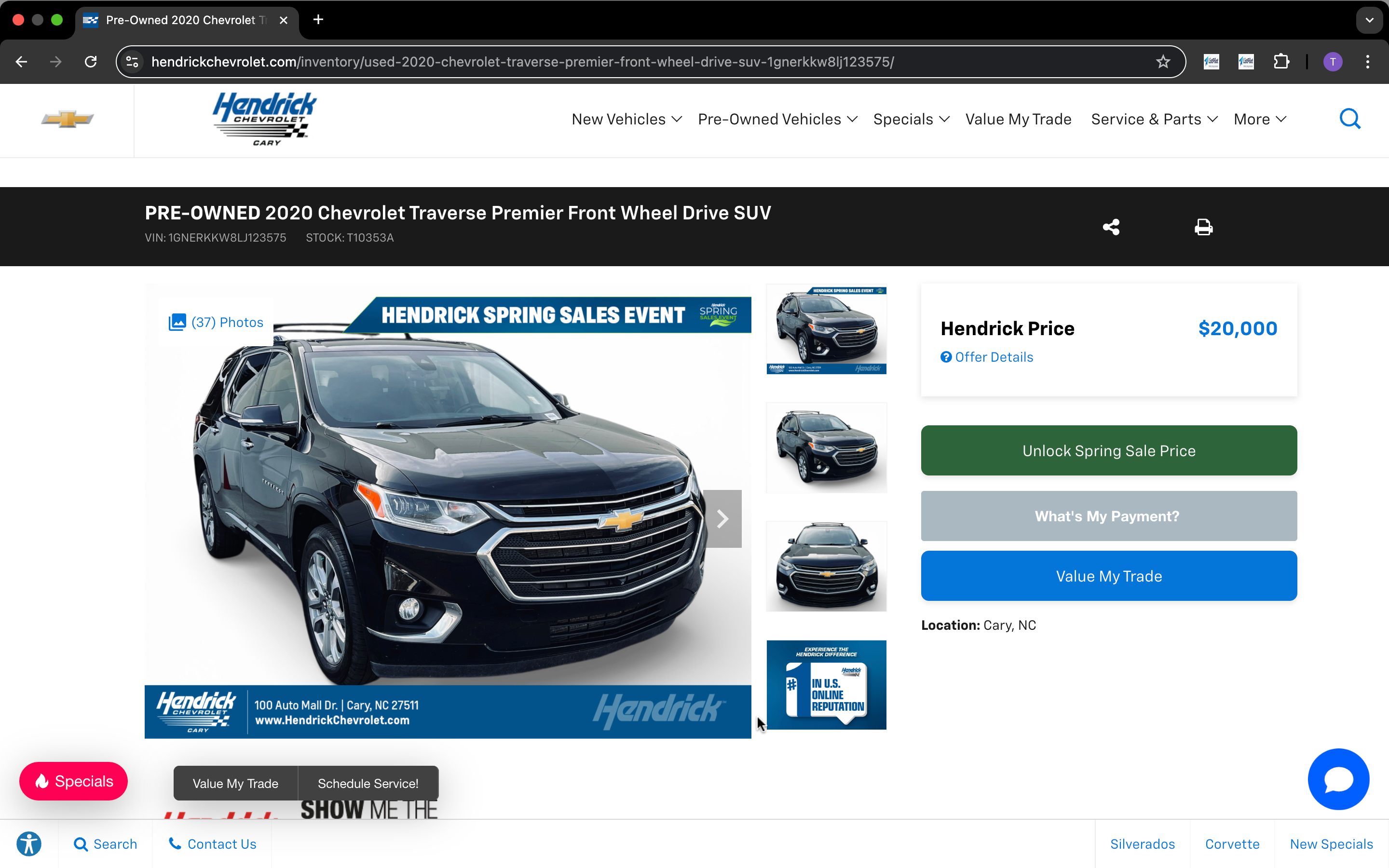
Navigate to the exact vehicle detail page you want to post — any VDP on any dealer site. Click Get Vehicle Info in the ListPilot extension and it reads the page.
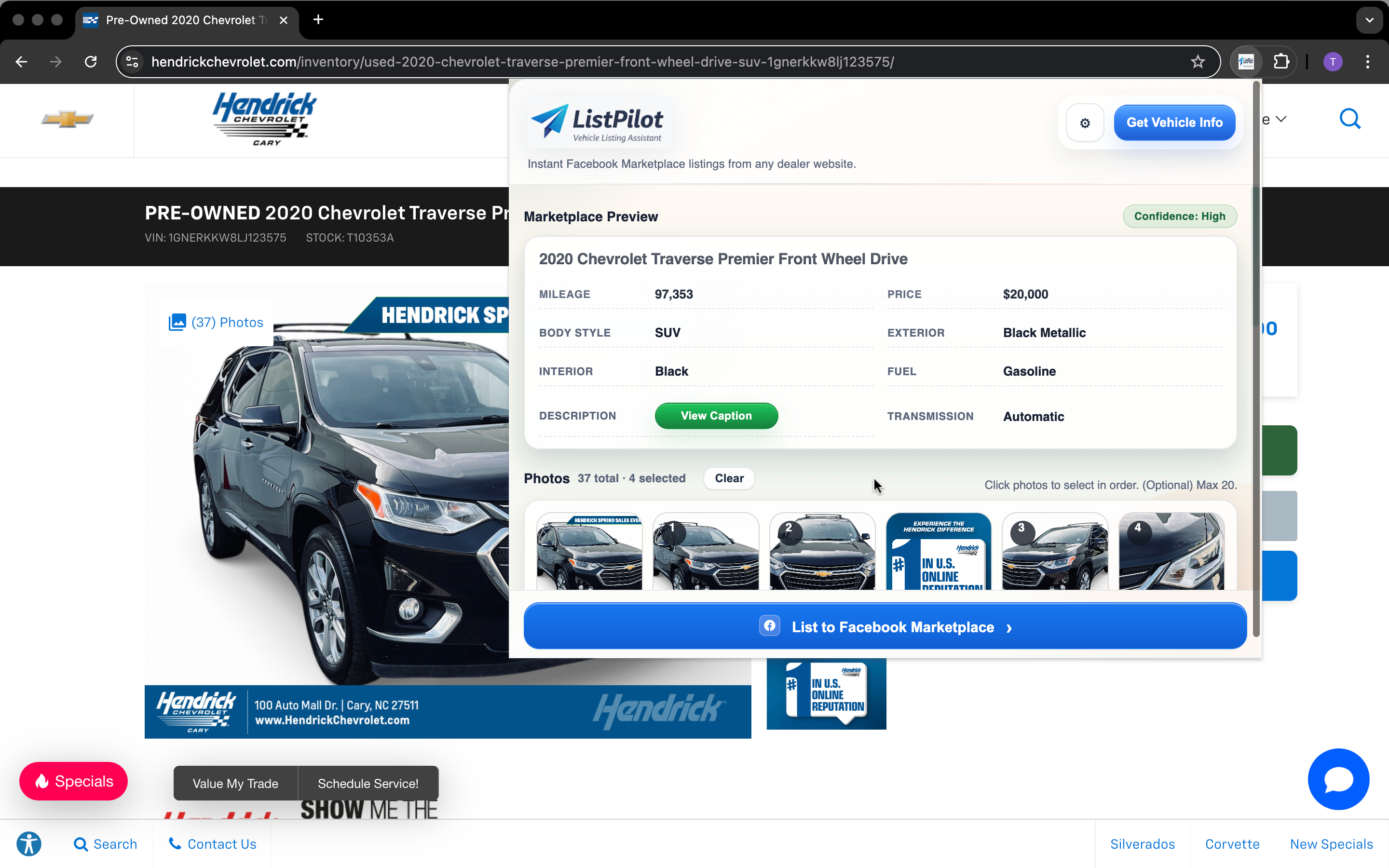
ListPilot builds a complete Marketplace preview — year, make, model, mileage, price, color, transmission, fuel type. Review it, edit anything you want, then move on.
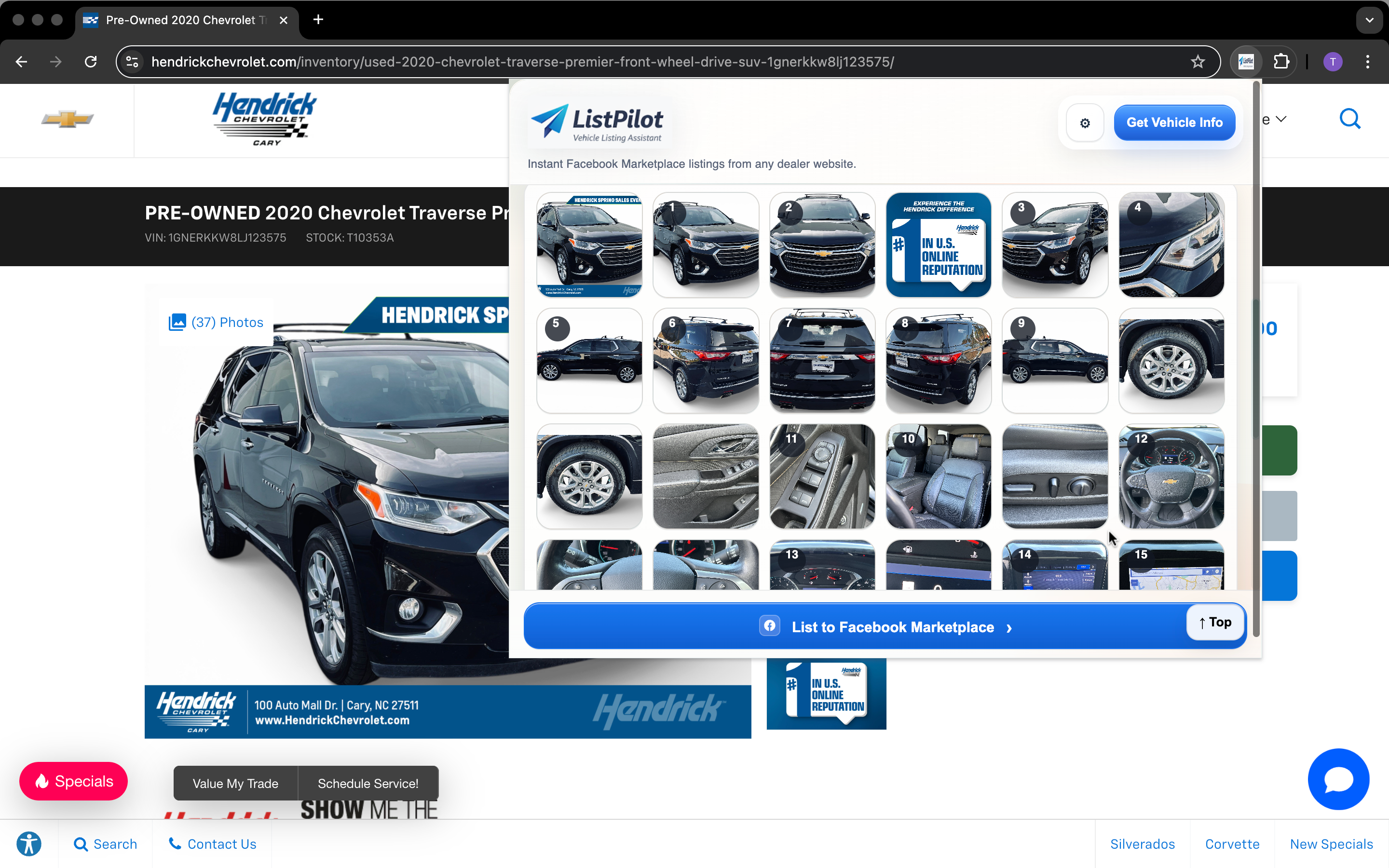
ListPilot pulls every photo from the dealer listing and lays them out in a numbered grid. Tap the ones you want. Skip dealer watermark shots, interior clutter, or anything that doesn’t help the buyer.
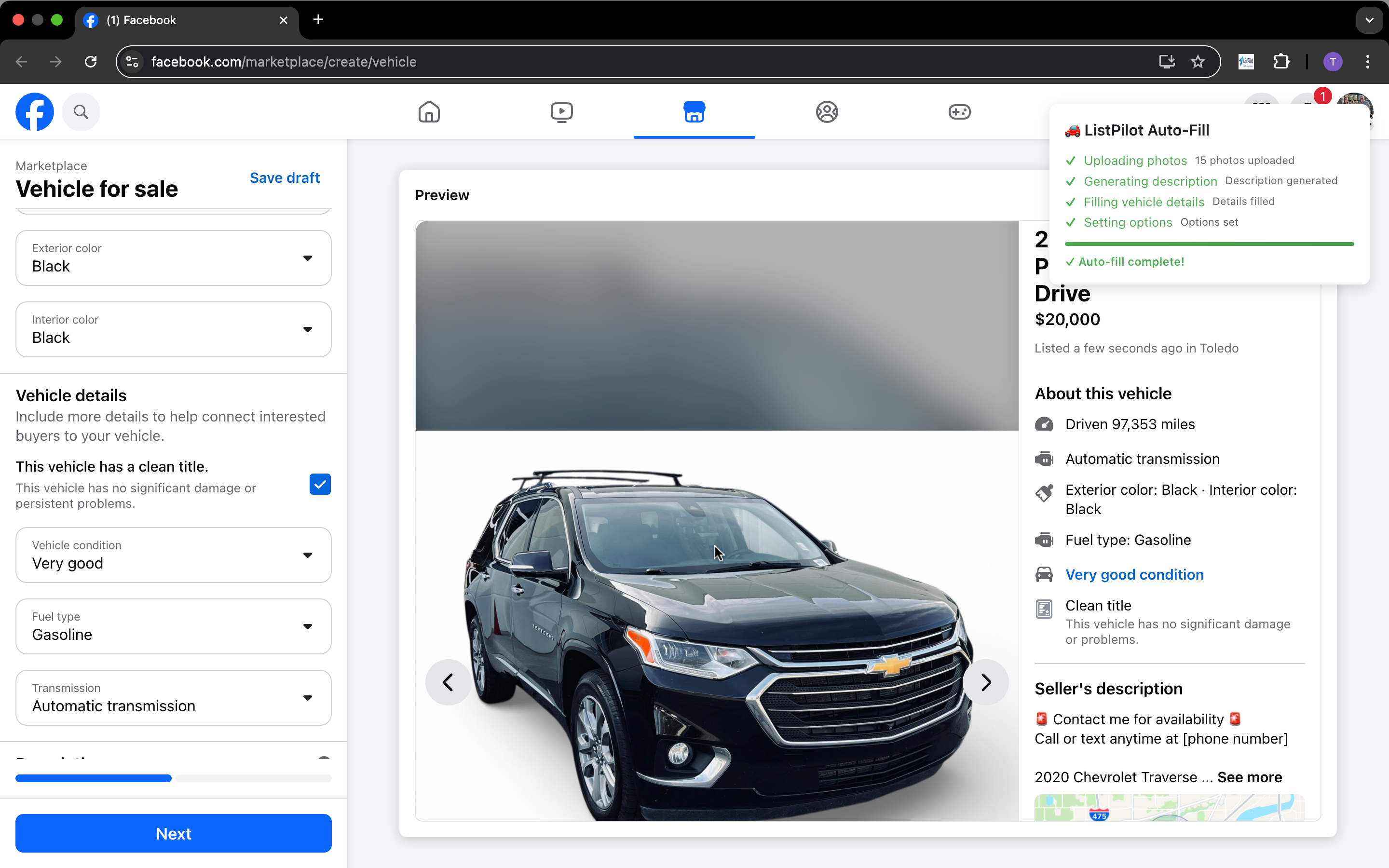
ListPilot opens the Marketplace create-vehicle form inside your active Facebook session and fills it automatically — photos uploaded, description written, vehicle details populated. You review the form and post.
ListPilot accelerates the workflow. The rep still reviews and posts through their own Facebook account.
Works through your existing Chrome session. We never ask for your Facebook credentials.
Standard VDP pages with photos and specs work out of the box — Hendrick, AutoNation, and most major dealer platforms.
Nothing goes live without your approval. You see the full Marketplace form before clicking Next.
Most reps go from opening the VDP to a Marketplace-ready draft in 90 seconds or less.
ListPilot works with most standard dealer inventory websites — Hendrick, AutoNation, CarGurus dealer sites, and most CMS-based VDP pages. If your vehicle detail page loads in Chrome with photos and specs visible, it almost certainly works. Use the 3-day trial to verify on your specific site before committing.
No. ListPilot never asks for your Facebook password and never stores your login. It works entirely through your active Chrome session — the same way any website you're already logged into works. You stay in control of your account at all times.
Most reps are posting their first vehicle within 5 minutes of installing. Install the Chrome extension, enter your seller name and license plate info once, and you're ready. No API keys, no IT ticket, no configuration.
ListPilot shows a confidence score after pulling. If a field pulled incorrectly, you can edit it directly in the preview before anything goes to Marketplace. You always review the full draft before posting, so a partial pull is easy to catch and correct.
Nothing. ListPilot fills the Marketplace form and stops. You read the full listing — title, price, mileage, description, photos — and click Next yourself. Your name is on the listing, so nothing goes live without your explicit sign-off.
Any vehicle with a detail page on your dealer site — new, used, CPO, or trade-in. As long as the VDP exists and has photos and specs, ListPilot can read it.
Install the extension, activate your license, and test it on one vehicle page. Most reps see the time difference on their very first listing.
Card required · Not charged until day 3 · Cancel anytime · No contract